
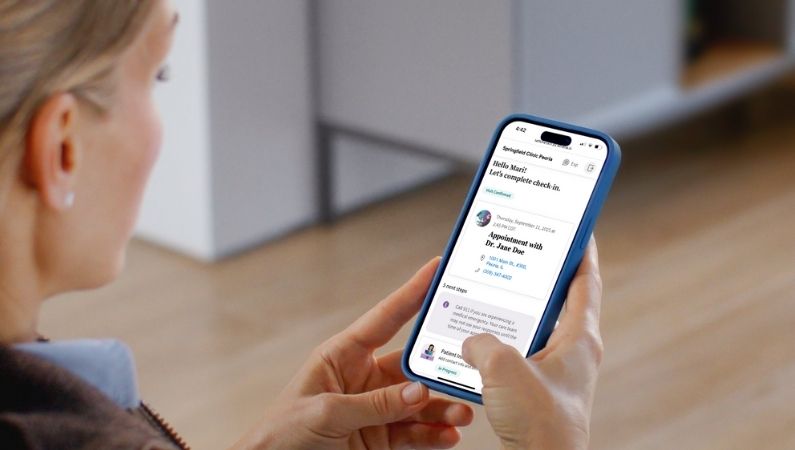
NEW! Athenahealth Pre-Registration

Making Your Appointment Easier: New Confirmation & Pre-Registration Steps
To help you get ready for your visit, Springfield Clinic now offers a simpler way to confirm your appointment and pre-register from home.
Starting seven days before your appointment, you'll receive a link from Athenahealth to confirm your appointment and pre-register. Just click the link to get started.
Appointments starting Feb. 9, 2026 will receive notifications from Athenahealth. Emails will come from [email protected] and portal notifications will be visible on your home screen in the portal. See Messaging Details section below for more details on notifications.
If you haven't used the patient portal yet and would like to activate your portal account:
Use this link to create an account. Your email address must match the email in our system,
If you prefer to have our team send you a personalized activation link to your preferred email address to be used for your electronic health record, request your personalized link here.
Appointment notifications via text will no longer come from 217.960.9045. The new system for appointment reminders comes from a different phone number and varies by patient. If you've received an automated text message indicating you will now receive "Patient Alerts from Springfield Clinic" or texts about billing statements, that is the same phone number you will get reminder text messages from for upcoming appointments.
Why Pre-Register?
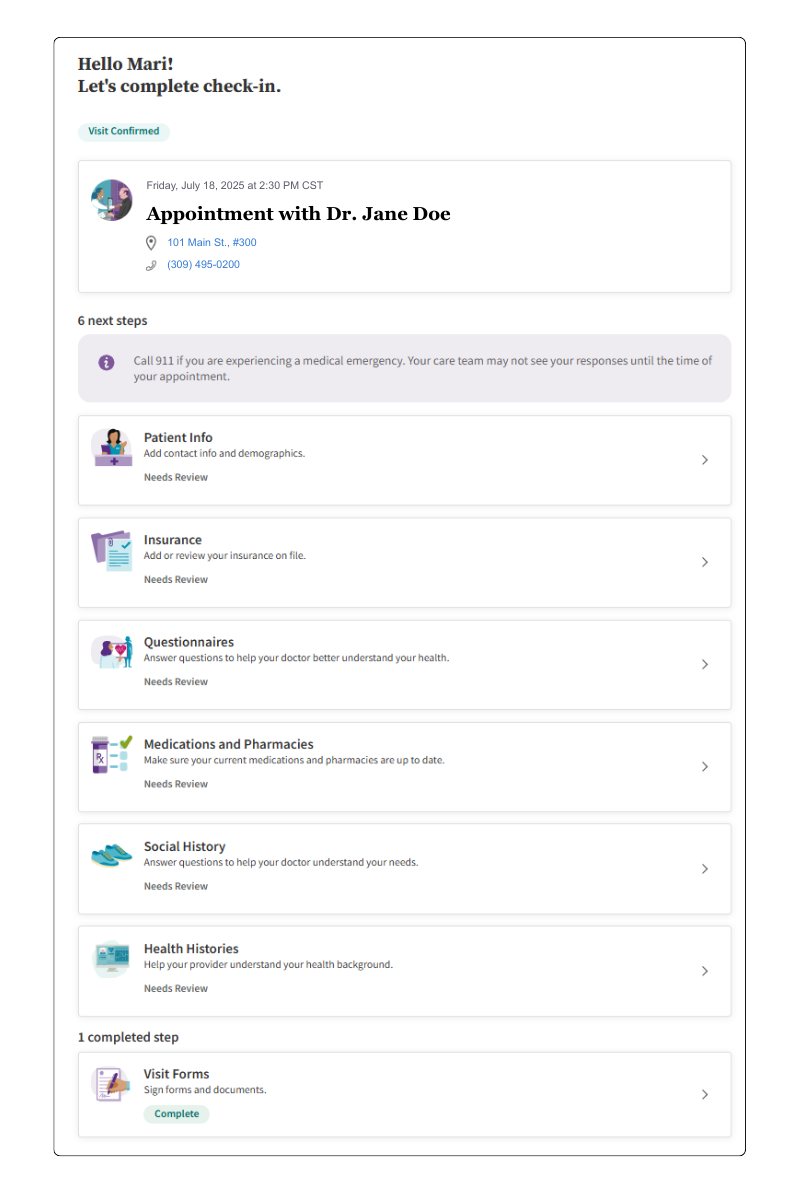
Confirming your appointment and reviewing your insurance and medical details allows our care teams to prepare for your visit. Through pre-registration you can:
Confirm or update your contact details
Review or upload new insurance information
Update current medications and preferred pharmacies
Review your health history
Pay any co-pays or outstanding balances
How it works
Click the link in your text message, email or portal notification.
Verify your identify through a text or call to your mobile phone.
Confirm if you are the patient or registering on their behalf.
Follow the steps on the registration page. You'll see which items are "Complete," "In Progress" and which "Need Review."
Take a few minutes to complete these steps will help make your check-in faster and smoother, so we can focus on your care.
Patient Info
Add contact information and demographics. Patients can review the following fields:
Contact Information:
Preferred first name
Date of birth
Primary phone and type
Consent to receive automated calls
Consent to receive texts
Mailing address
Demographics:
Preferred language
Race
Marital status
Insurance
Review any insurance on file or upload new card images. If adding images of new insurance cards, please capture both the front and back of the card.
Visit Forms
If patient is due to review or sign any forms and documents, those will populate in this section. Springfield Clinic's Patient Consent and Terms of Agreement form is required annually.
Medications and Pharmacies
Review and add all current medications, including prescriptions, supplements and over-the-counter medications. Patients can also add up to five preferred pharmacies and set one as the primary.
Social and Health Histories
Answer questions related to your social history to help your provider understand your needs. Review surgical history, past medical history, family history and allergies.
Payment
Pay any co-pays or outstanding balances.
Messaging Details
Patients will receive notifications via email, text and/or automated calls leading up to the appointment for them to digitally confirm their visit and complete any pre-registration items. The sections below show a breakdown of all notifications leading up to the visit. Please note that if a patient completes pre-registration, additional notifications requesting completion of pre-registration items will stop.